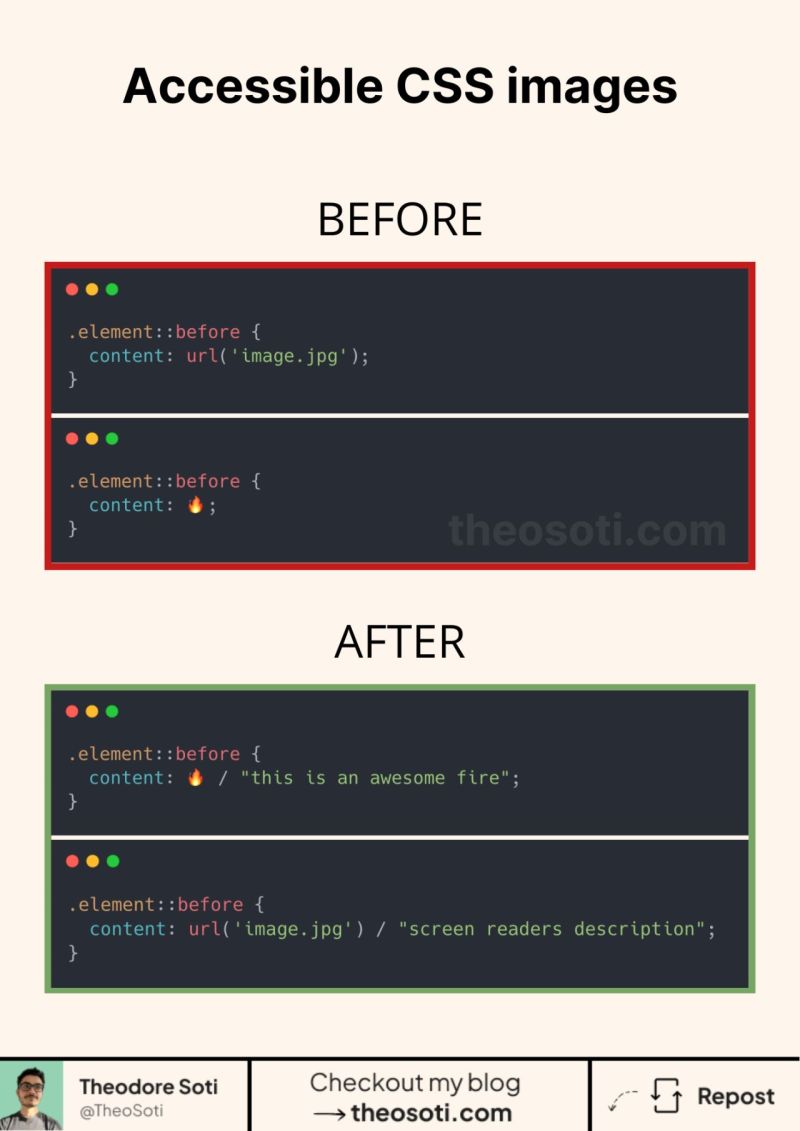
CSS generated images can have replacement text.
Most people use content to insert icons or decorative images. But what if that generated image carries information?
The content property accepts alternative text after a slash:
.element::before {
	content: url('/images/status.jpg') / 'Current status: available';
}
The value after the slash is the replacement text associated with the generated content.
This syntax is widely available in browsers, but assistive-technology behavior can still vary. For meaningful content, real HTML such as <img alt="…"> remains the safer choice.
Use CSS generated content for decoration or progressive enhancement, not for information that must always be announced.
If you liked this tip, you might enjoy my guide “You Don’t Need JavaScript”, which contains more ways to build modern interfaces with HTML and CSS.
You can find it at https://theosoti.com/you-dont-need-js/.