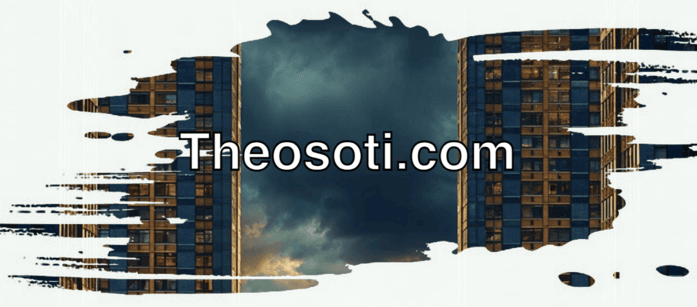
One property. Endless creative possibilities. Let’s explore CSS masks.
CSS masks control an element’s opacity using a shape, gradient, or image. It even works with GIFs!
It results in smoother, more creative effects, all with pure CSS.
How does it work?
- mask-image: defines the image or gradient used as a mask.
- mask-size: controls how it fits the element.
- mask-position: determines its placement.
Why is it powerful?
With mask-image, you can create ink effects, smooth transitions, and elegant content reveals, without heavy graphics or extra elements.
And It already has more than 96% browser support.
<div class="banner">
  <div class="content">
    <h1>Theosoti.com</h1>
  </div>
</div>
.banner:before {
content: '';
position: absolute;
inset: 0;
background-image: url('image.jpeg');
background-size: cover;
background-position: top;
z-index: -1;
mask-image: url(mask.png);
mask-size: cover;
mask-position: center;
}Codepen link: https://codepen.io/theosoti/pen/GgRgMMj
Mask effects are strongest when they guide attention, not when they hide too much content. Start with simple gradient masks, then increase complexity only if shape readability stays clear in both light and dark contexts.
Mask effects should guide attention, not hide content. Start with simple gradients and test on different backgrounds to make sure the visual style remains readable and doesn’t reduce perceived contrast.
Media-related CSS needs testing across different asset ratios and resolutions. Real image variance is where composition rules are truly validated.
A practical way to adopt mask-image is to scope it to one high-impact component first. Then reuse that same pattern in similar contexts so behavior stays consistent and review time stays low.
Also test masked elements against both solid and textured backgrounds to confirm the focal area stays obvious in every theme.
If you liked this tip, you might enjoy the book, which is packed with similar insights to help you build better websites without relying on JavaScript.
Go check it out https://theosoti.com/you-dont-need-js/ and enjoy 20% OFF for a limited time!