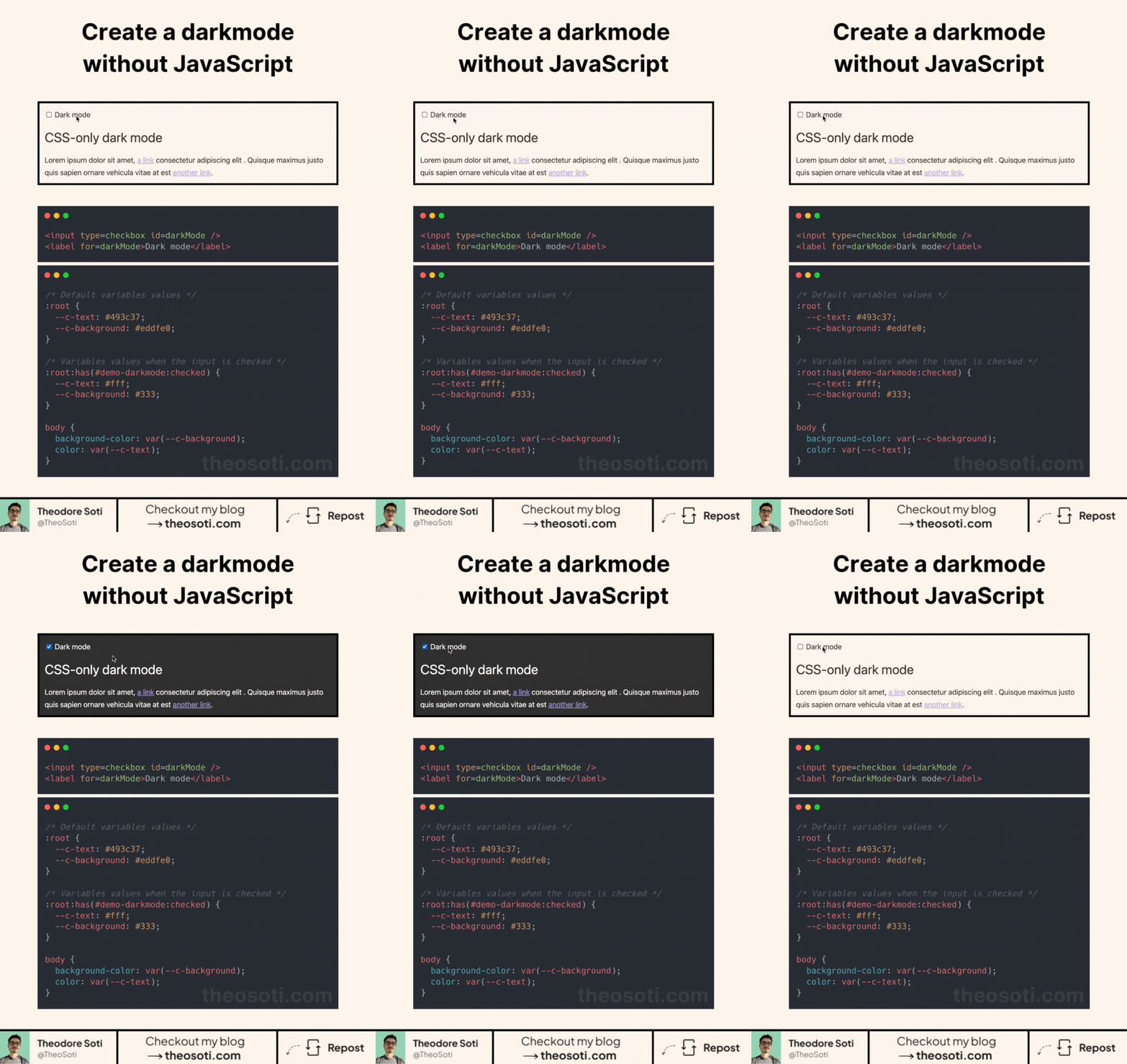
You can build a dark mode toggle with only CSS.
Combine an <input type="checkbox">, CSS variables, and :has() to change a page theme without a JavaScript listener.
:root {
	--background: white;
	--text: #161616;
}

:root:has(#dark-mode:checked) {
	color-scheme: dark;
	--background: #161616;
	--text: white;
}

body {
	background: var(--background);
	color: var(--text);
}
The checkbox acts as the trigger. When it is checked, :has() updates the variables and the whole interface follows them.
CSS also gives you two other options.
Use prefers-color-scheme to follow the user’s system setting:
@media (prefers-color-scheme: dark) {
	body {
		background: #161616;
		color: white;
	}
}
Or let light-dark() choose between two colors:
:root {
	color-scheme: light dark;
}

body {
	background: light-dark(white, #161616);
	color: light-dark(#161616, white);
}
The CSS-only checkbox option does not persist the user’s choice after navigation or reload. Use JavaScript only if you need to save that preference.
If you liked this tip, you might enjoy my guide “You Don’t Need JavaScript”, which contains more ways to build modern interfaces with HTML and CSS.
You can find it at https://theosoti.com/you-dont-need-js/.