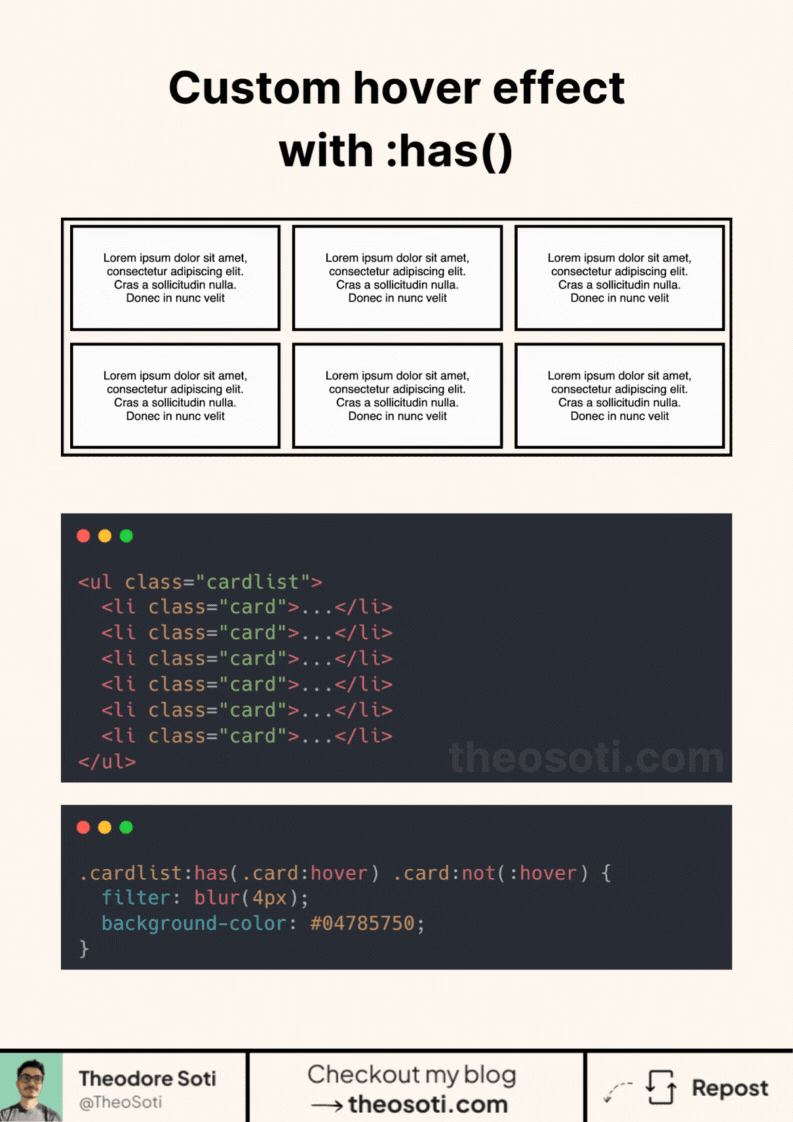
Have you ever wanted to create an inverted hover effect?
I’ll show you how with just 2 extra lines of CSS!
No hacks. No JavaScript. Just the power of :has().
For years, CSS couldn’t style parent elements based on their children. But now, :has() changes the game.
Hover over an element, and :has() lets the parent react, applying styles to everything else.
- No extra HTML.
- No complex workarounds.
- Just a clean, native way to control interactions.
The result? A smooth hover effect that shifts focus exactly where you want it. And this is just one use case.
With :has() you can also:
- Build dark mode toggles.
- Improve form validation styles.
- Create advanced parent-child interactions.
- Enhance focus and selection effects.
- And more…
With over 93% browser support, it’s pretty safe to use.
<ul class="cardlist">
	<li class="card">...</li>
	<li class="card">...</li>
	<li class="card">...</li>
	<li class="card">...</li>
</ul>.cardlist:has(.card:hover) .card:not(:hover) {
filter: blur(4px);
}Full code available here: https://codepen.io/theosoti/pen/VwJryJK
:has() makes parent-reactive hover states much cleaner for cards and list items. Keep selectors focused on clear interaction zones, so the effect feels intentional and remains predictable across dense layouts.
:has() enables parent-reactive hover patterns that used to need JS or extra wrappers. Keep selectors focused and local so interactions stay predictable in dense component trees.
Selector-driven improvements scale best when specificity remains controlled. Keep targeting rules readable so future edits do not become cascade puzzles.
When introducing :has(), begin with one reference component and treat it as the canonical pattern. This keeps implementation predictable and prevents style drift as the codebase grows.
If you liked this tip, you might enjoy the book, which is packed with similar insights to help you build better websites without relying on JavaScript.
Go check it out https://theosoti.com/you-dont-need-js/ and enjoy 20% OFF for a limited time!