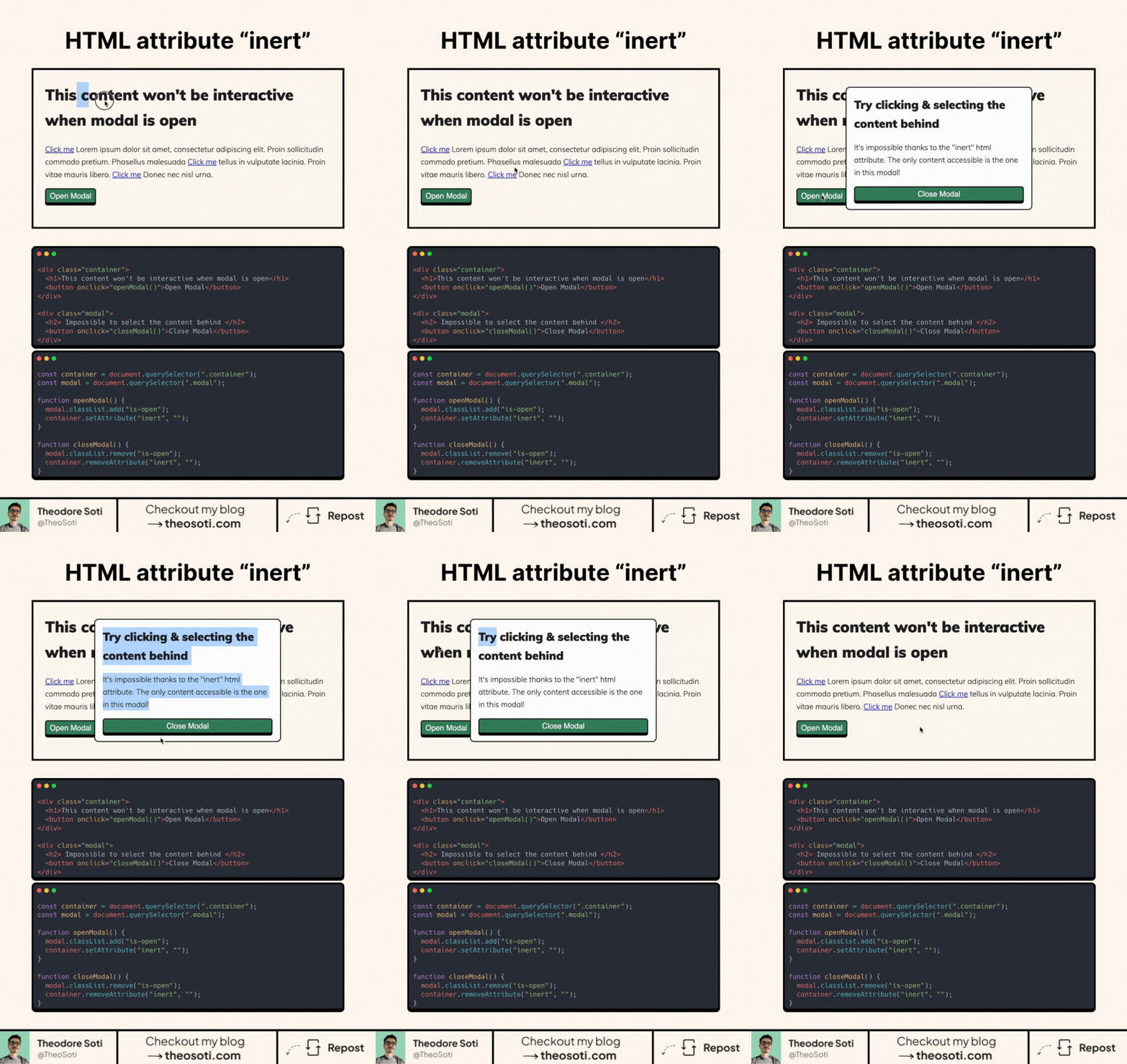
Heard about the new HTML “inert” attribute?
It’s a game-changer and it’s as simple as it is powerful.
When you add inert to an element:
- The element and everything inside it becomes inactive.
- Users can’t click or interact with it.
- Screen readers completely ignore it.
It’s perfect for modals and pop-ups!
With inert, you can ensure users stay focused on the modal without interacting with the rest of the page.
It’s super handy for keeping users focused and making sure screen readers skip over stuff they don’t need to see.
Bonus: better accessibility often means better SEO too!
How does it work?
Just add inert to any element you want to deactivate. While it’s there, users can’t click, tab, or interact with it. Remove it, and everything’s back to normal.
It’s simple, effective, and takes no effort to set up.
The best part ? It’s available on every major browser with a support of 94%!
inert is a clean way to disable background interaction during modals and drawers. It blocks both pointer and focus access at once, which is safer than manually toggling many individual elements.
inert is a clean way to disable background interaction during overlays. It blocks both pointer and focus access, reducing the risk of partially disabled UI states.
Validate it with real content and realistic viewport ranges so implementation details hold up outside demos.
When introducing inert, begin with one reference component and treat it as the canonical pattern. That rollout sequence preserves clarity and reduces regressions during future refactors.
If you liked this tip, you might enjoy the book, which is packed with similar insights to help you build better websites without relying on JavaScript.
Go check it out https://theosoti.com/you-dont-need-js/ and enjoy 20% OFF for a limited time!