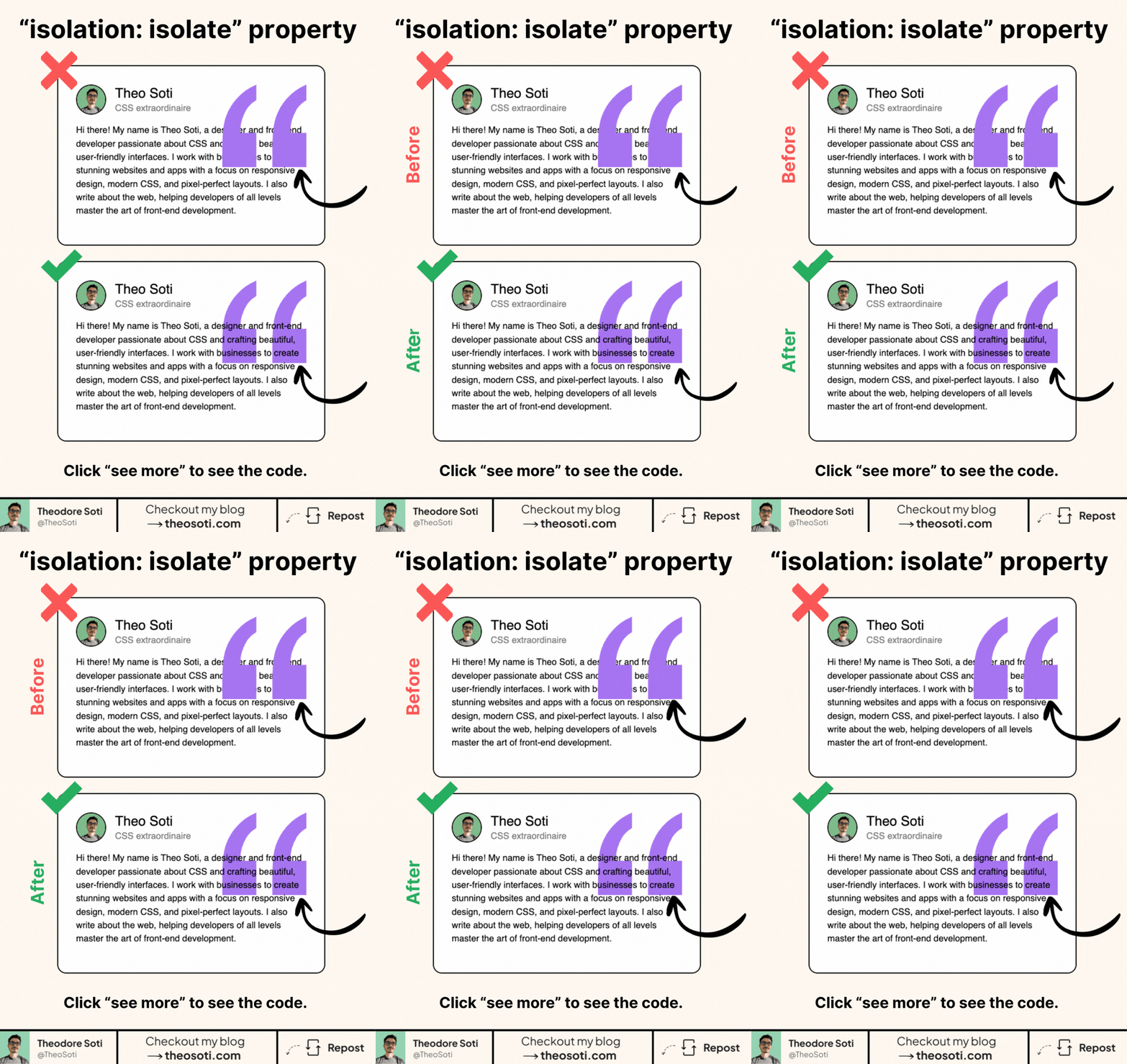
isolation: isolate can save your layering.
Especially when decorative elements start escaping their card.
This property creates a new stacking context.
.card {
	position: relative;
	isolation: isolate;
}
That sounds technical. But the effect is simple.
It tells the browser: “everything inside this component should stack inside this component.”
This is very useful when you add:
- pseudo-elements
- blend effects
- negative z-index layers
- decorative backgrounds
Without isolation, a child with z-index: -1 can slip behind other elements outside the card.
Sometimes it disappears behind the page.
Sometimes it overlaps in places you did not expect.
With isolation: isolate, the parent becomes its own stacking world.
Your decorative layer can sit behind the content, while still staying inside the component.
That is why this property pairs so well with ::before and ::after.
.card {
	position: relative;
	isolation: isolate;
}

.card::after {
	content: '';
	position: absolute;
	inset: 0;
	z-index: -1;
}
This is also useful with mix-blend-mode.
Blend effects can interact with everything behind them.
Isolation limits that interaction to the component itself, which makes the result much easier to control.
That is why the property feels so useful in modern UI work.
Cards, badges, highlights, blurred layers, and oversized quote marks often rely on decorative elements behind the content.
isolation: isolate gives those effects a safe boundary.
The key idea is this:
isolation does not move anything.
It does not replace position.
It does not replace z-index.
It simply gives the component a boundary for stacking.
So if one of your fancy background shapes keeps leaking outside its card, this is probably the missing piece.
Small property. Very practical fix.
If you liked this tip, you might enjoy the book, which is packed with similar insights to help you build better websites without relying on JavaScript.
Go check it out https://theosoti.com/you-dont-need-js/ and enjoy 20% OFF for a limited time!