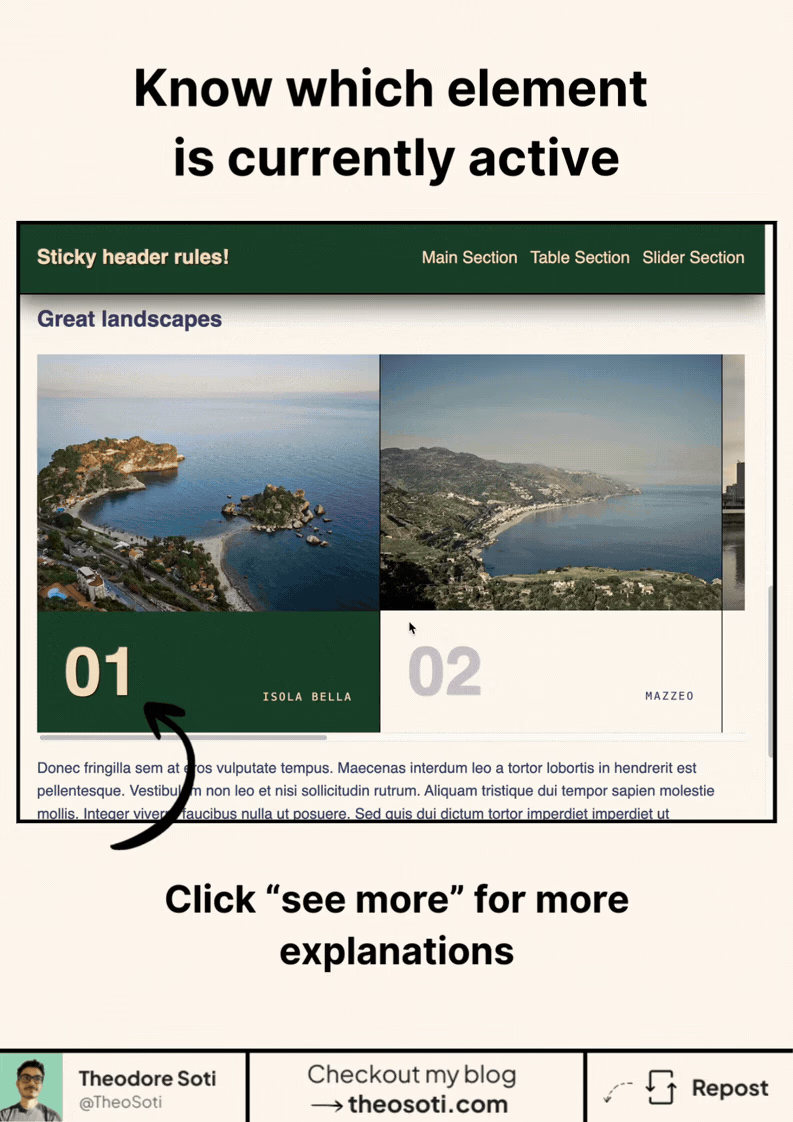
Your slider can now know which card is active.
In CSS.
No Intersection Observer. No scroll listener. No JavaScript state tracking.
Just scroll-state.
In this pattern, each slide becomes its own scroll-state container.
.horizontal-track li {
	container-type: scroll-state;
}
Then CSS can detect when one slide is the snapped one in the inline direction.
@container scroll-state(snapped: inline) {
	.card-content img {
		filter: sepia(0) brightness(1);
		transform: scale(1.1);
	}

	.card-footer {
		background-color: var(--bg-color);
		color: var(--color-orange);
	}

	.num {
		opacity: 1;
		color: var(--color-orange);
	}
}
So when a card becomes the snapped item:
- the image gets highlighted
- the footer changes style
- the number becomes visible
All automatically.
That is the interesting part. The browser already knows which slide is snapped. Now CSS can react to that state directly.
This makes sliders feel much smarter without adding JavaScript just to figure out which card is active. You can keep the behavior in the platform and keep your component logic simpler.
It is a very good fit for carousels, product galleries, onboarding steppers, and horizontal story-like interfaces. Anywhere snap points already exist, the styling can follow naturally.
It also makes the styling more trustworthy. You are reacting to the exact card the browser considers snapped, not to an approximation you had to detect yourself.
What makes scroll-state exciting is that it reacts to real interaction states:
- stuck
- scrollable
- snapped
That is a big shift. CSS is not only styling static elements anymore. It is starting to respond to what the browser already knows about scrolling behavior.
Support is still emerging, so this is best treated as a progressive enhancement for now. But the direction is very clear.
Less glue code. Less bookkeeping. More UI behavior handled directly in CSS.
If you liked this tip, you might enjoy the book, which is packed with similar insights to help you build better websites without relying on JavaScript.
Go check it out https://theosoti.com/you-dont-need-js/ and enjoy 20% OFF for a limited time!