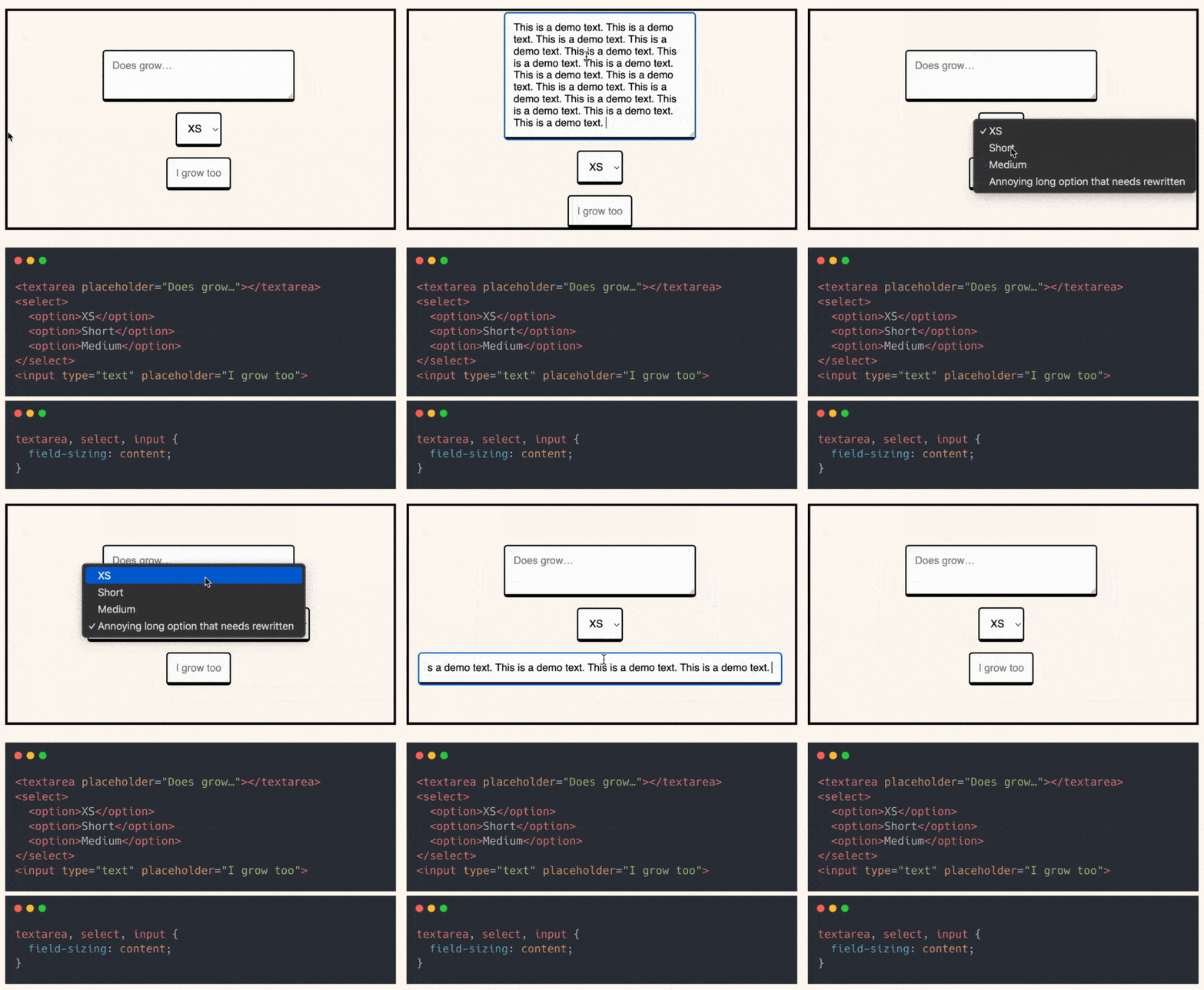
Forms should adapt to content.
Not the other way around.
Ever had to manually set the width of an input field, only to realise it’s either too short or too long?
Or worse, had to use JavaScript to resize it dynamically?
Now, CSS makes it effortless with just one property: field-sizing: content;
What does it do?
- Input, select, and textarea automatically adjust to fit their content.
- No need for JS workarounds or arbitrary width settings.
- Forms look cleaner and adapt naturally to user input.
The best part?
It works with placeholders too.
Fields shrink to the perfect size even before typing begins.
With browser support growing (more than 71%), this will be a game-changer for form UX.
You can already start using it as progressive enhancement.
Here’s the codepen: https://codepen.io/theosoti/pen/mydXVEy
field-sizing: content helps compact forms feel natural by adapting control width to user input. Add sensible min and max bounds so fields remain usable with both very short and very long values.
field-sizing: content improves comfort in compact forms by adapting to input length. Add sensible min/max constraints so controls stay usable with very short or very long values.
Check autofill, mobile keyboards, and error feedback before shipping. These practical states reveal more than static demos and keep the form experience trustworthy.
A practical way to adopt field-sizing: content is to scope it to one high-impact component first. This keeps implementation predictable and prevents style drift as the codebase grows.
If you liked this tip, you might enjoy the book, which is packed with similar insights to help you build better websites without relying on JavaScript.
Go check it out https://theosoti.com/you-dont-need-js/ and enjoy 20% OFF for a limited time!