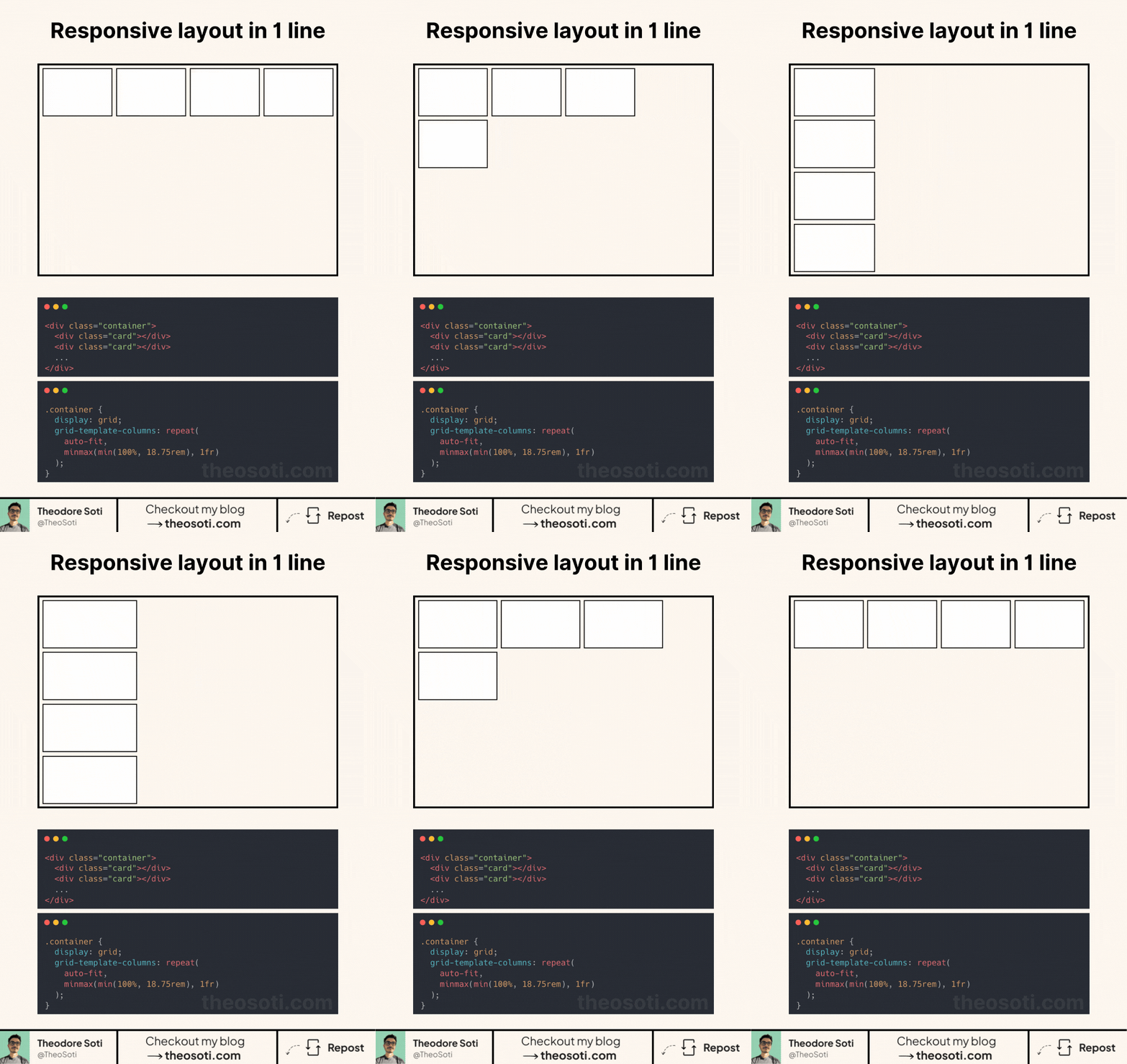
Achieve responsive layouts now with one line of CSS
Let’s analyse the magic behind grid-template-columns:
- Repeat()
- repeat(x, value): generates multiple columns or rows with the same pattern.
- auto-fit: automatically adjusts the number of columns based on available space.
- minmax(min(100%, 18.75rem), 1fr)
- min(100%, 18.75rem): ensures the column never exceeds 18.75rem but also doesn’t exceed the container’s width.
- minmax(…, 1fr): Sets a minimum size while allowing columns to grow and evenly fill available space.
Why this work so well?
- No media queries needed.
- Thanks to min(100%, 18.75rem), elements won’t exceed their container.
- Automatically adapts to different screen sizes and layouts.
- One line does all the work!
All these functions (repeat, minmax, min) have more than 96% browser support.
This one-liner is perfect for card layouts, galleries, and grids that need to be both structured and flexible.
Have you used this approach or a similar one before? Let’s discuss in the comments!
<div class="container">
  <div class="card"></div>
  <div class="card"></div>
  <div class="card"></div>
  <div class="card"></div>
</div>
.container {
display: grid;
gap: 1rem;
/* this line does it all */
grid-template-columns: repeat(auto-fit, minmax(min(100%, 18.75rem), 1fr));
}
.card {
height: 12.5rem;
background: #fff;
border: 4px solid #000;
}Codepen link: https://codepen.io/theosoti/pen/WbNomqr
One-line responsive grids are ideal for content collections where item count changes often. The value is not just shorter CSS; it is predictable wrapping behavior with fewer breakpoint-specific overrides.
Layout features like this provide real value when components move between narrow and wide containers. Testing nested contexts early prevents brittle breakpoint rules.
A practical way to adopt minmax() is to scope it to one high-impact component first. Then reuse that same pattern in similar contexts so behavior stays consistent and review time stays low.
Want to build modern interfaces with less JavaScript?
I wrote a guide about building modern UI with HTML and CSS first. It covers practical patterns you can use before reaching for JavaScript.
Learn more