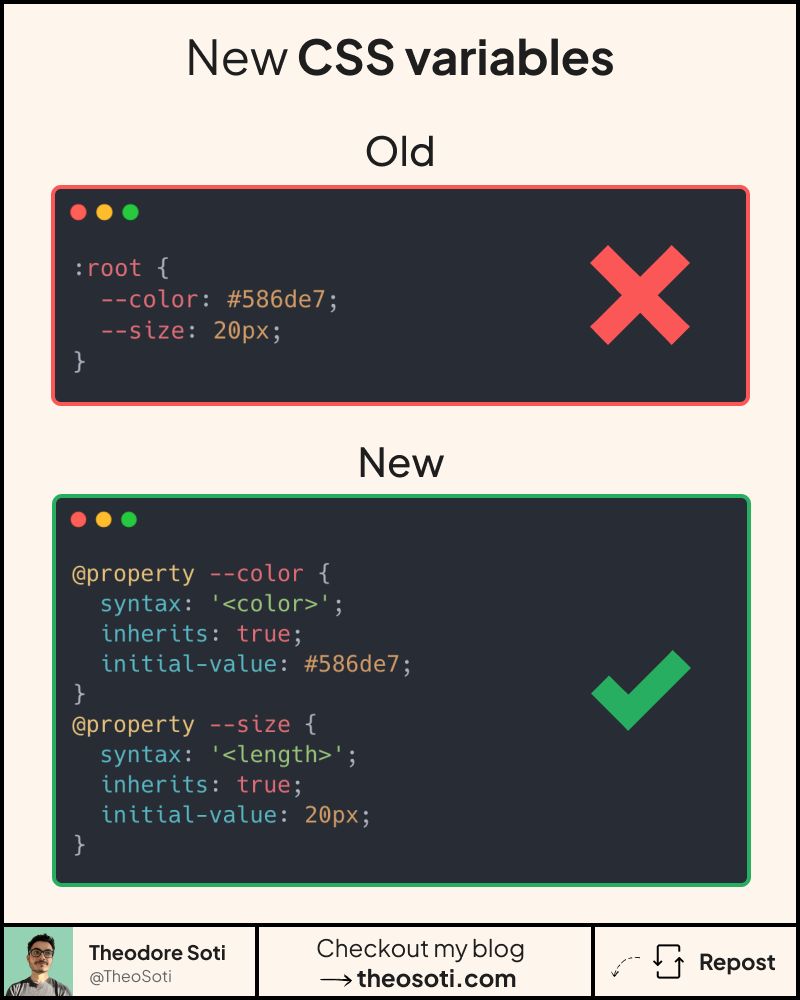
Unlock powerful animations with @property !
Defining all your CSS variables in :root?
It works, but it has some limitations:
- You can’t tell if a variable is valid or not.
- Impossible to animate certain values.
- Debugging is messy.
- Browsers give you zero feedback.
That’s where @property comes in.
It doesn’t replace CSS variables, it upgrades them.
With @property, you get automatic validation, better debugging, and the ability to animate certain types of variables that were never animatable before.
If a value is invalid, it falls back cleanly instead of silently breaking your design.
Plus, you get warnings when something’s wrong, no more guessing.
If you want more powerful variables in your CSS, it’s time to make @property part of your toolbox.
@property makes custom properties typed, animatable, and easier to validate. Defining syntax and initial values early prevents silent errors and enables smoother state transitions.
@property gives custom properties explicit syntax, inheritance rules, and animatability. That makes advanced variable-driven UIs safer and easier to debug.
Validate it with real content and realistic viewport ranges so implementation details hold up outside demos.
When introducing @property, begin with one reference component and treat it as the canonical pattern. That rollout sequence preserves clarity and reduces regressions during future refactors.
Before final rollout, validate @property against real content and real interaction states, not only demo text.
If you liked this tip, you might enjoy the book, which is packed with similar insights to help you build better websites without relying on JavaScript.
Go check it out https://theosoti.com/you-dont-need-js/ and enjoy 20% OFF for a limited time!