Place elements relative to their siblings.
With one CSS function.
Meet sibling-index().
It gives each element a number. Based on its position among siblings.
That number can drive layout. No extra classes. No :nth-child() chains. No JavaScript.
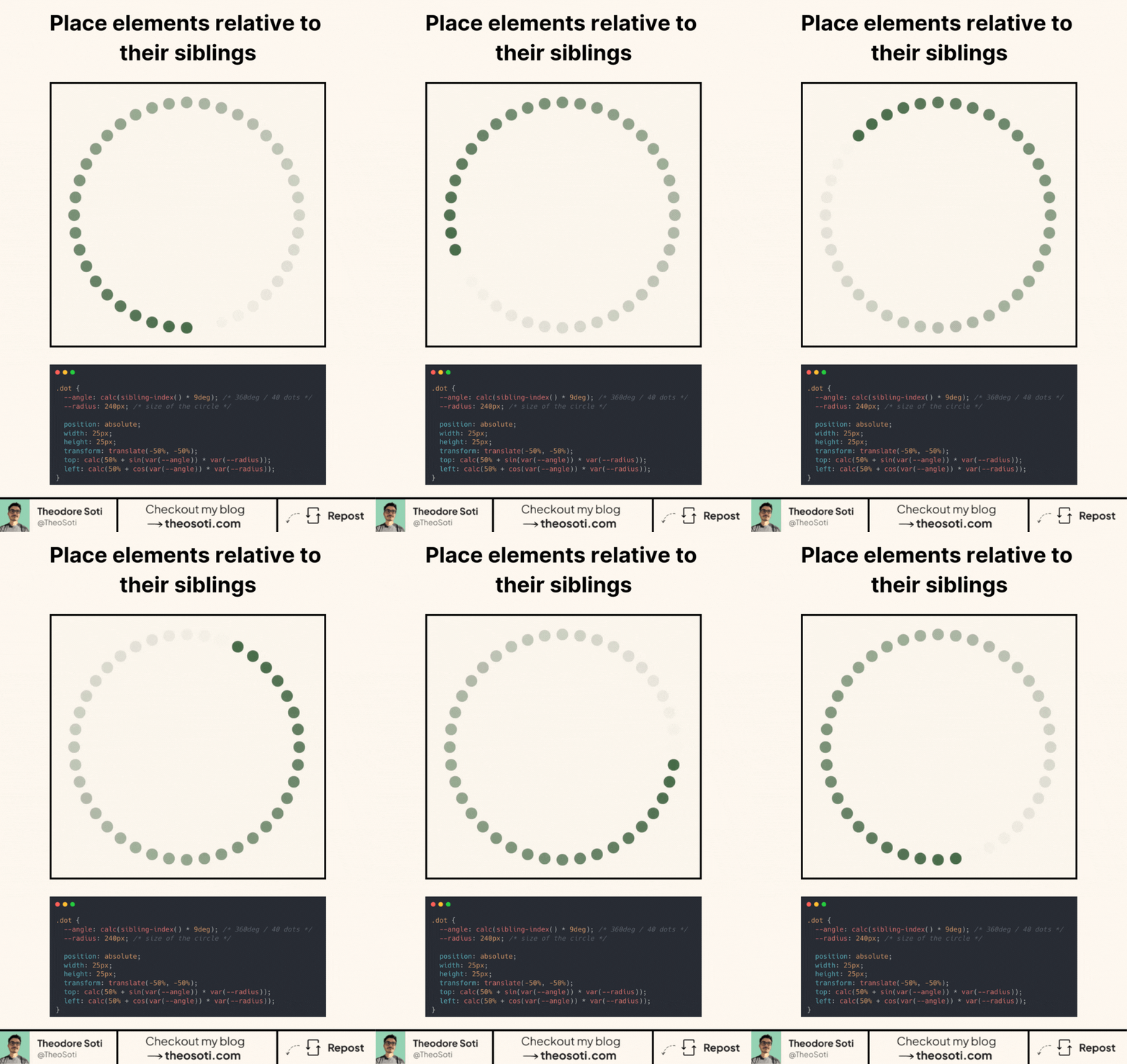
Here’s the trick I used to place dots in a circle.
Each dot computes its own angle.
.dot {
	--angle: calc(sibling-index() * 9deg);
	--radius: 240px;

	position: absolute;
	width: 25px;
	height: 25px;
	transform: translate(-50%, -50%);

	top: calc(50% + sin(var(--angle)) * var(--radius));
	left: calc(50% + cos(var(--angle)) * var(--radius));
}
Here’s what happens.
sibling-index() returns the position of the dot. You multiply it by 9deg. That spreads 40 dots across a full circle.
Then sin() and cos() convert the angle into coordinates. top uses sin(). left uses cos().
The circle is centered with 50%. The dot is centered with translate(-50%, -50%).
Simple math. Pure CSS. Very little markup.
Browser support is still limited. About 69.3% today. And there is no Firefox support yet.
But the idea is powerful. CSS is getting real logic now.
What would you build with sibling-index()?
sibling-index() is excellent for staggered offsets and sequence-based styling without extra classes. Combined with calc(), it keeps patterns adaptive when list order changes or items are inserted dynamically.
sibling-index() is great for sequence-aware styling without adding helper classes. It becomes especially useful for staggered layouts where item order can change and manual nth rules become fragile.
A quick edge-case audit with inserted elements helps confirm that selector logic stays predictable over time.
To roll this out safely, start by applying sibling-index() in a single UI surface where the benefit is obvious. After validation, expand gradually to matching components and avoid ad-hoc one-off overrides.
If you liked this tip, you might enjoy the book, which is packed with similar insights to help you build better websites without relying on JavaScript.
Go check it out https://theosoti.com/you-dont-need-js/ and enjoy 20% OFF for a limited time!